JoyFest

Music festivals sell you the crowd but give you a screen. I designed a festival brand and mobile app that puts the audience back at the center. Not as spectators, but as co-creators of the show.
Role
Designer
Duration
11 Weeks, Spring 2025
SCOPE
Signage
Branding
Mobile App
TOOLS
Figma
Illustrator
affiliations
Prof. Leisha Muraki
UW HCDE 308
Visual Communication
final design
01 — the problem
Festivals are designed for cameras, not people.
I looked at Lollapalooza, KCON LA, and Coachella — not to benchmark features, but to find the gap they all share. Each has a different brand promise: genre diversity, artist access, social cachet. But all three converge on the same outcome.
INSIGHT 01
Passive by design
Exceptional lineups train fans to consume rather than participate. Watching remotely is now a comparable substitute for being there.
INSIGHT 02
Community without connection
Festivals market belonging, but tiered pricing and physical layout fragment the crowd before the first song plays.
DESIGN Opportunity
How might we design a festival experience where the audience shapes the performance — not just attends it?
02 — VISUAL IDENTITY
A brand that moves with the crowd.
I needed a visual system flexible enough to live across signage, print, and a mobile app — while staying clearly, unmistakably JoyFest. That meant making real decisions about type, mark, and color that weren't just aesthetic, but functional.
wORDMARK EVOLUTION
Three iterations. Each one rejected for a reason that sharpened the final mark.
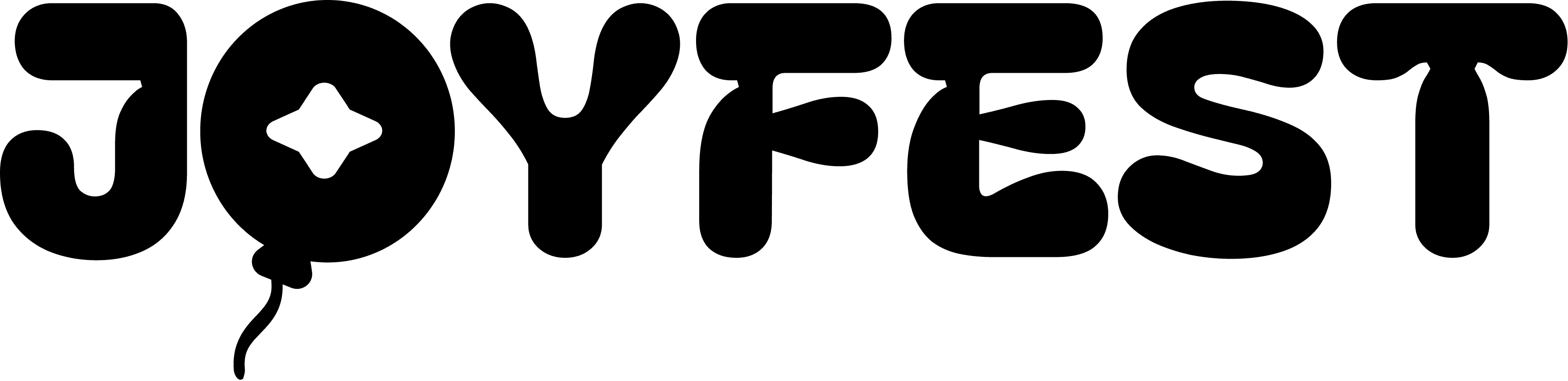
Balloon in the 'O'
Integrated a balloon with a star motif inside the letterform. Cohesive, but the modification was too subtle. It read as decoration, not identity.
"Feels more bouncy than playful — not a design statement."
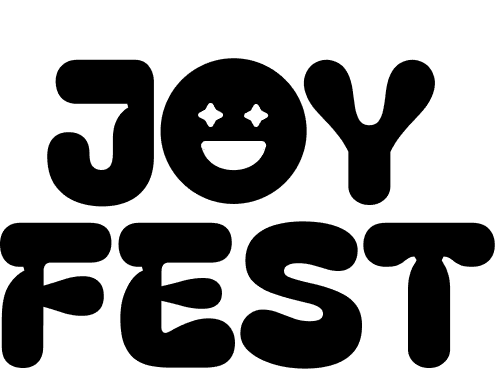
Smiley face balloon replaces 'O'
Replaced the 'O' with a face using the same star vector as the eyes. Also explored stacking JOY and FEST vertically.
The face gave the brand a character. But horizontal read better at sign scale.
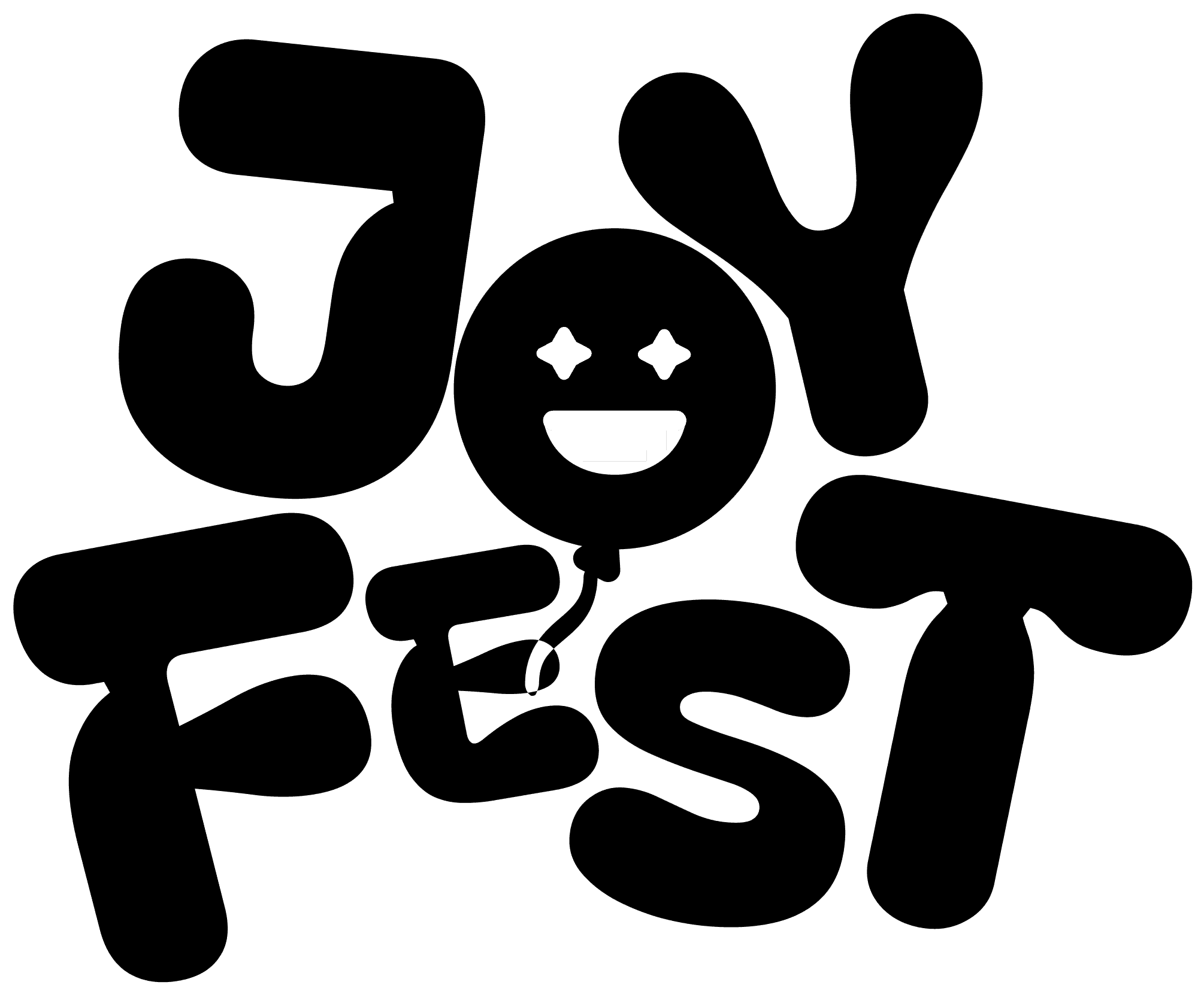
Rotating characters + color-swapping balloon
Individual letter rotation creates the feel of balloons without literal illustration.
One mark. Three color modes. Scales from wristband to billboard.
Final Iteration
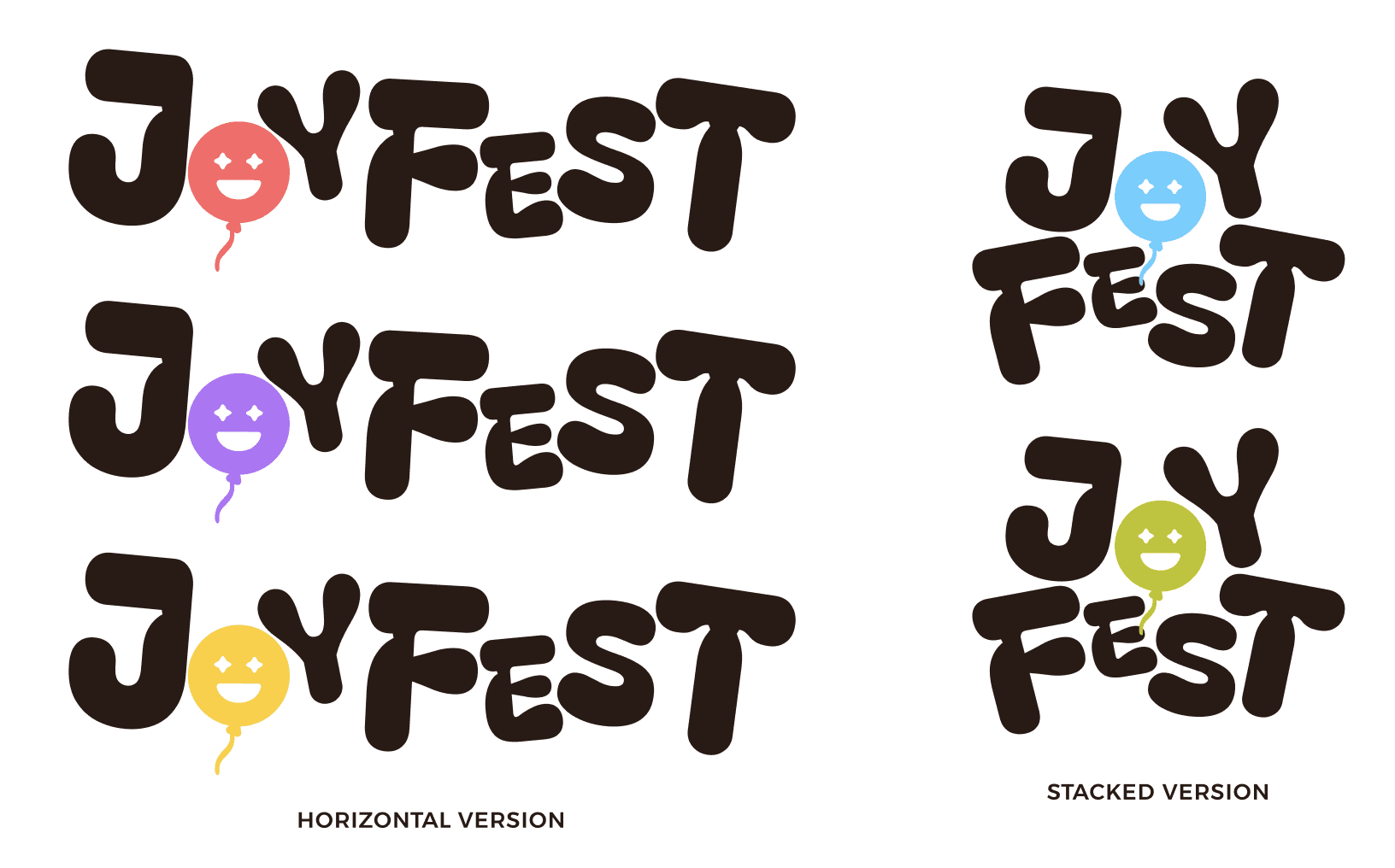
Individual letter rotation creates the feel of balloons without literal illustration. The balloon color swaps per festival day — function embedded inside the brand mark itself.
color SYSTEM
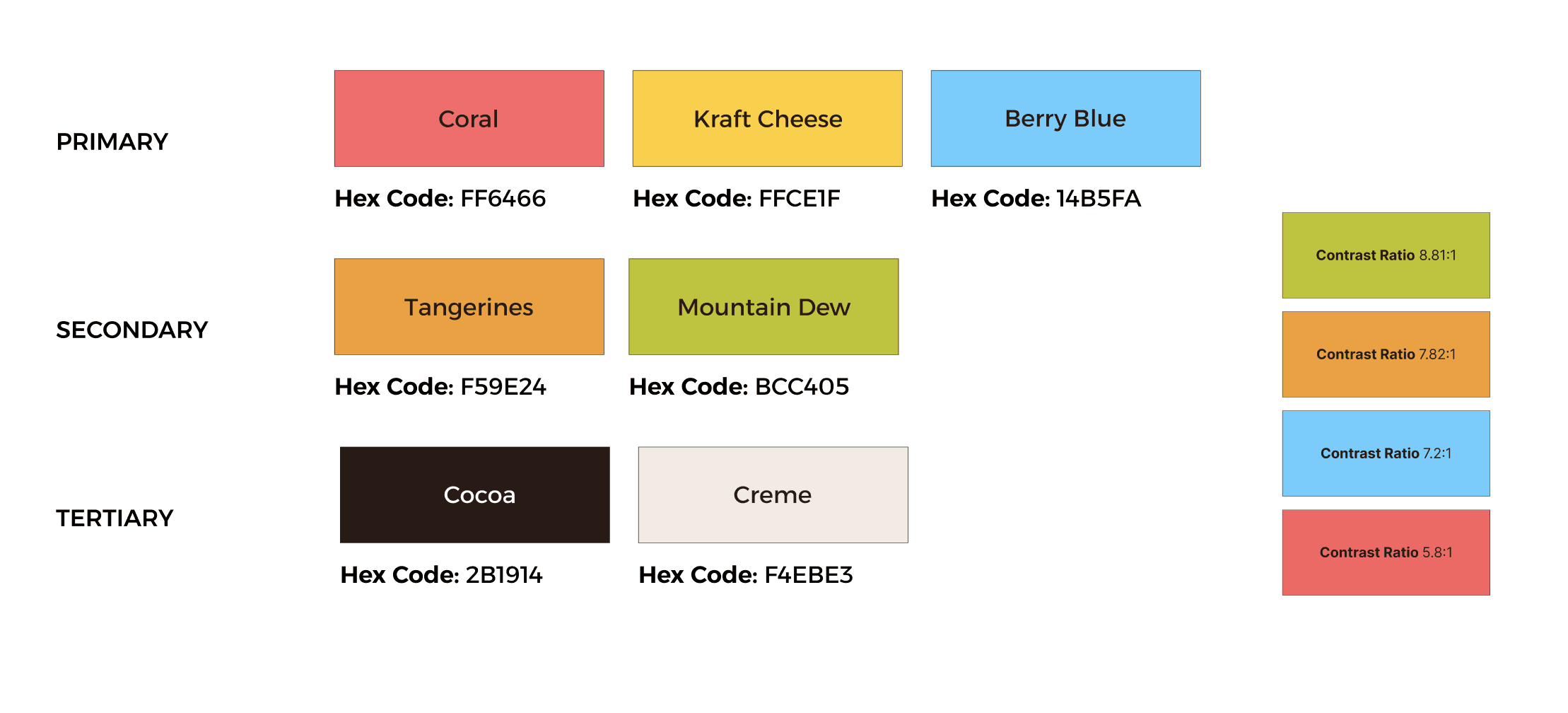
Warm tones carry the summer energy. Berry Blue enters as a striking contrast accent — grounding the palette without cooling its temperature.
style tile
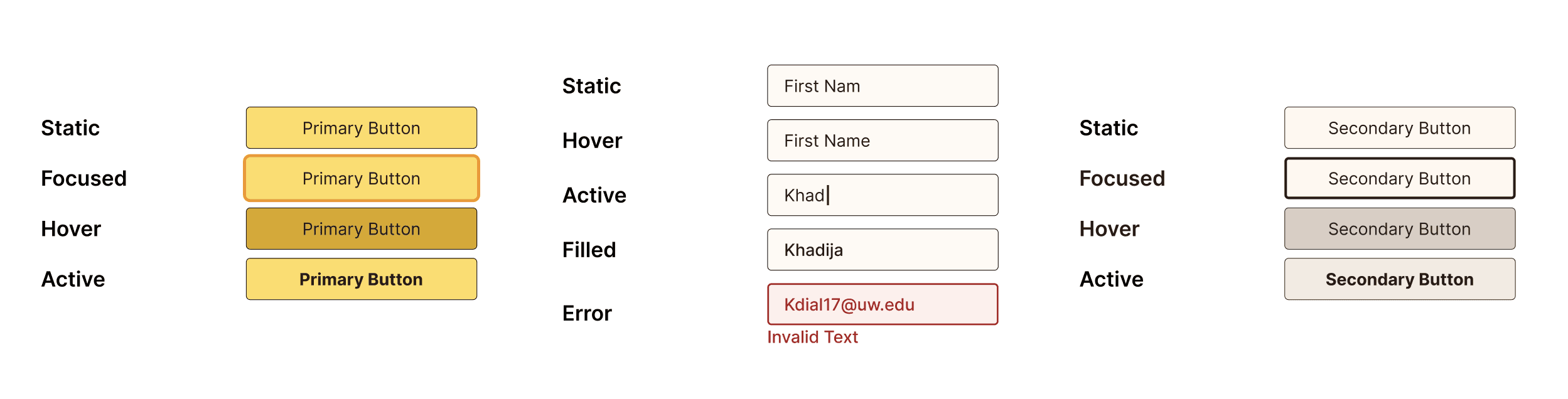
03 — Print & signagE
When critique changes the work.
Signage is where the rubber meets the road. A poster that works on screen fails at festival scale if the information hierarchy isn't bulletproof. I went through three poster directions before finding one that earned its energy.
V1 — REJECTED
THREE DIRECTIONS, ALL ABANDONED
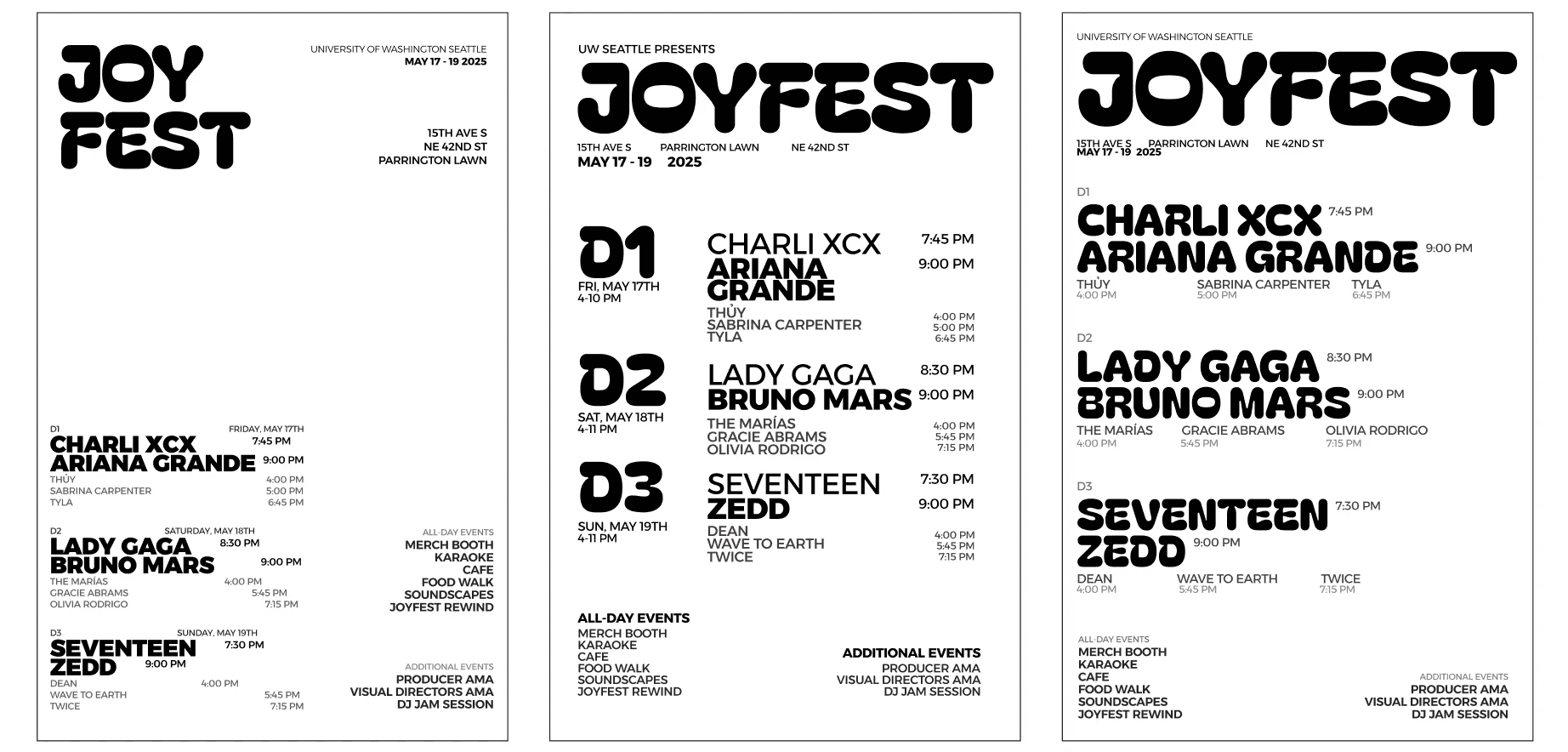
Left: secondary performers illegible due to light weight + excessive empty space. Center: D1/D2/D3 hierarchy overpowers performer names. Right: readability collapses at scale — layout feels dated.
FINAL
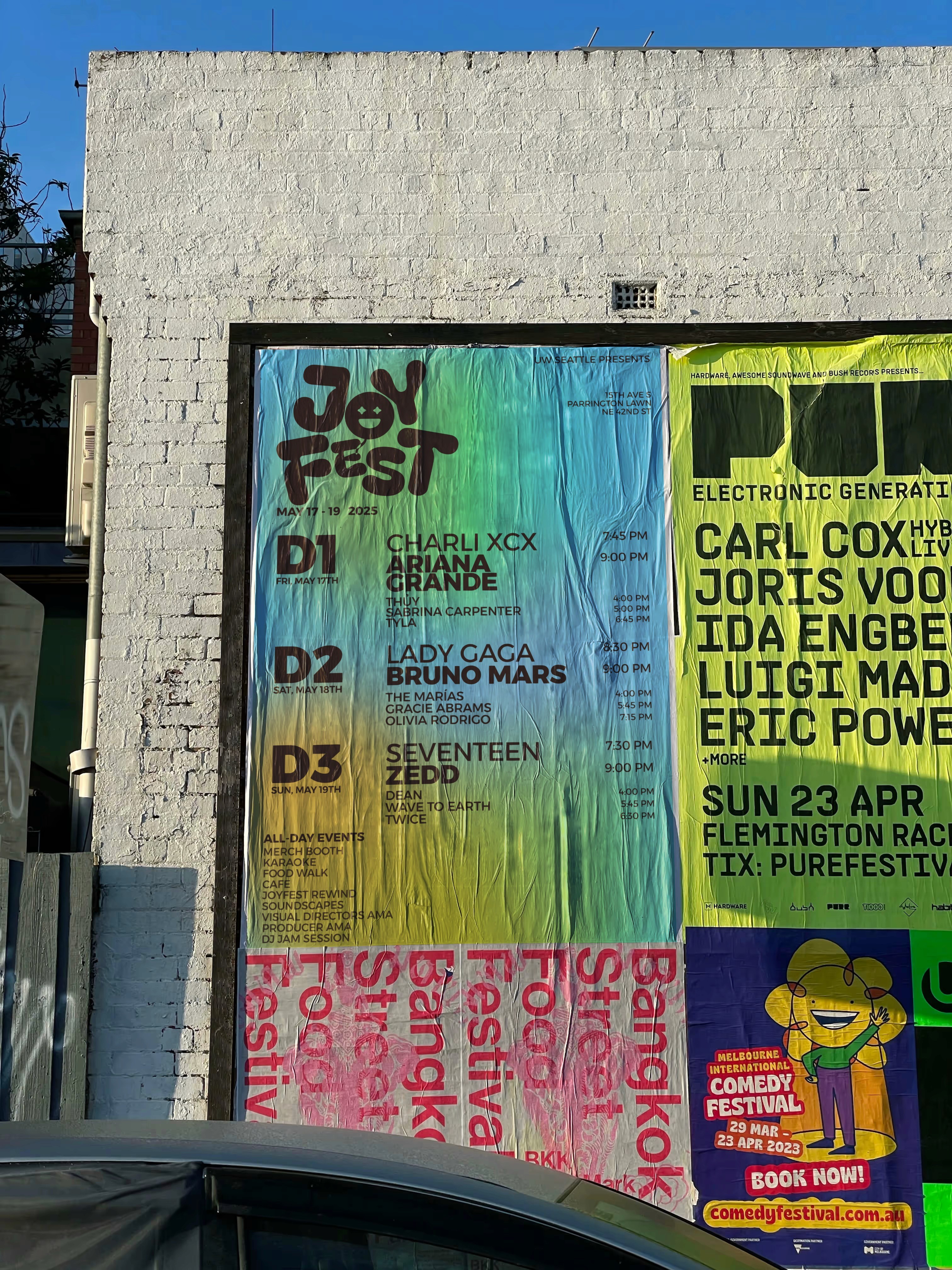
GRADIENT POSTERS — THREE COLOR MODES, ONE SYSTEM
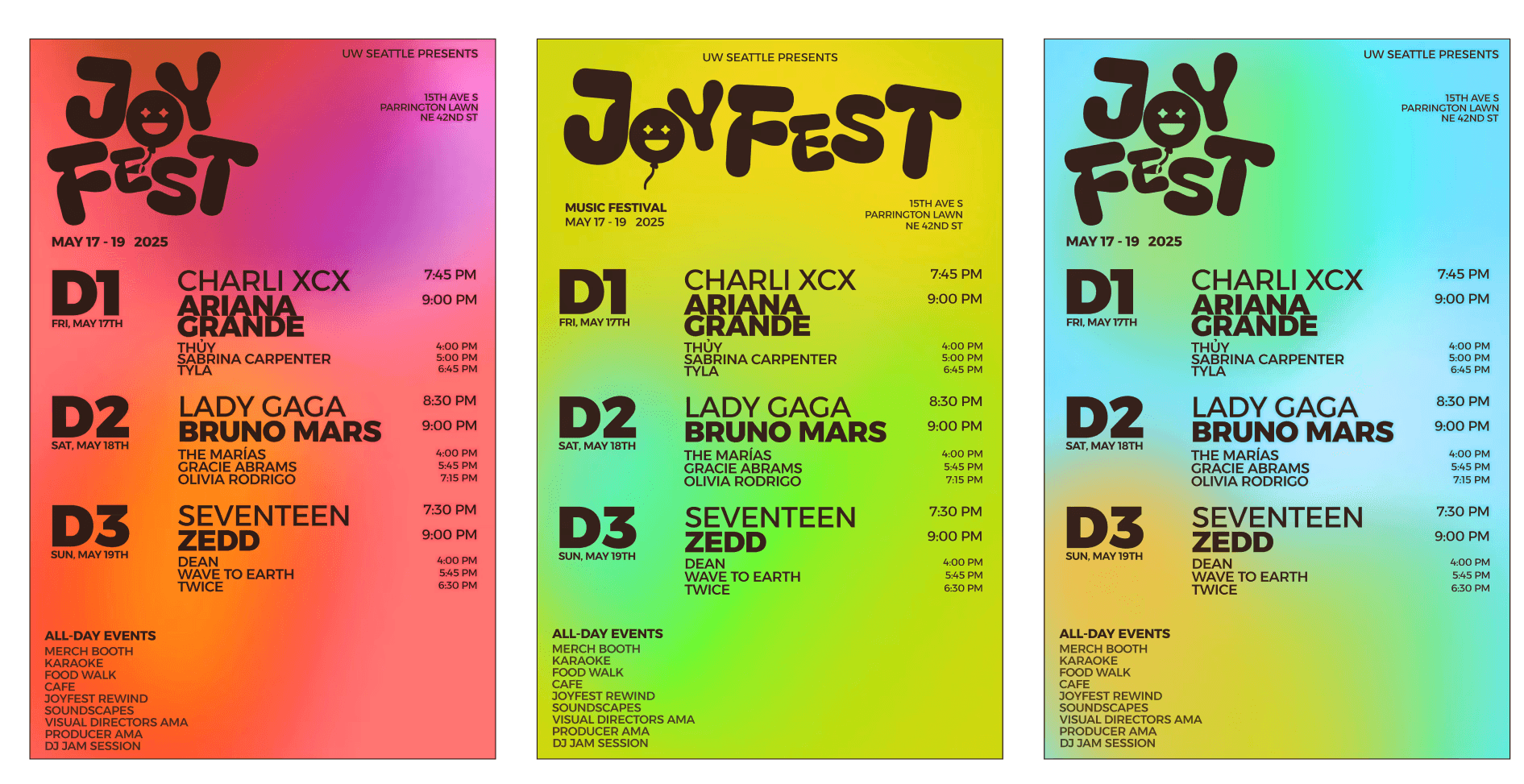
Warm-to-cool gradients carry festival energy. Bold performer hierarchy is scannable at 6ft. Three color variants align with the Day 1/2/3 brand system.
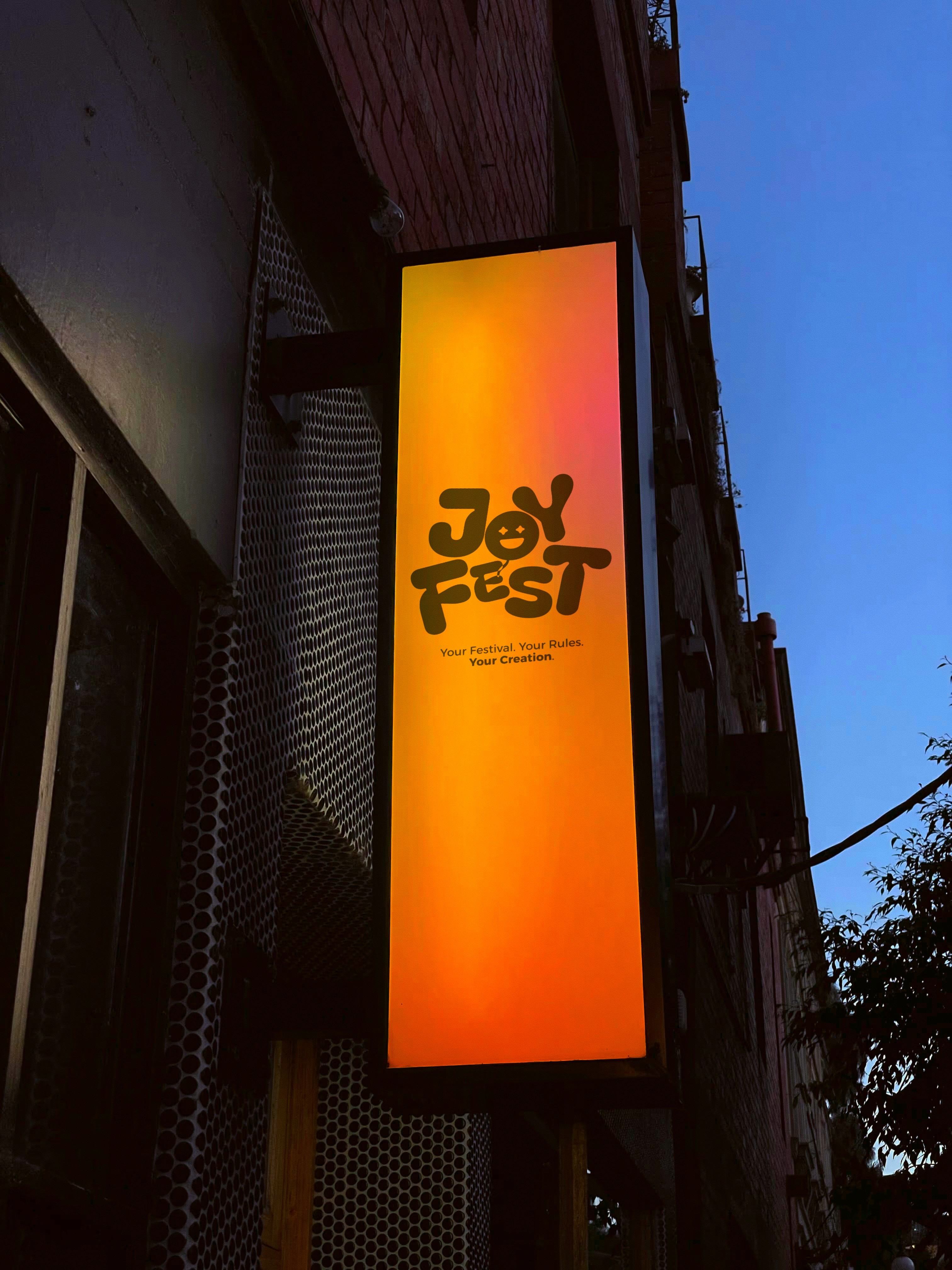
Wayfinding signage
Four freestanding signs, each for a different campus location. The frosted vinyl concept evoked the lightness of balloons. Studio critique revealed that arrows were too small and information hierarchy didn't feel intuitive in motion.
V1 — REJECTED
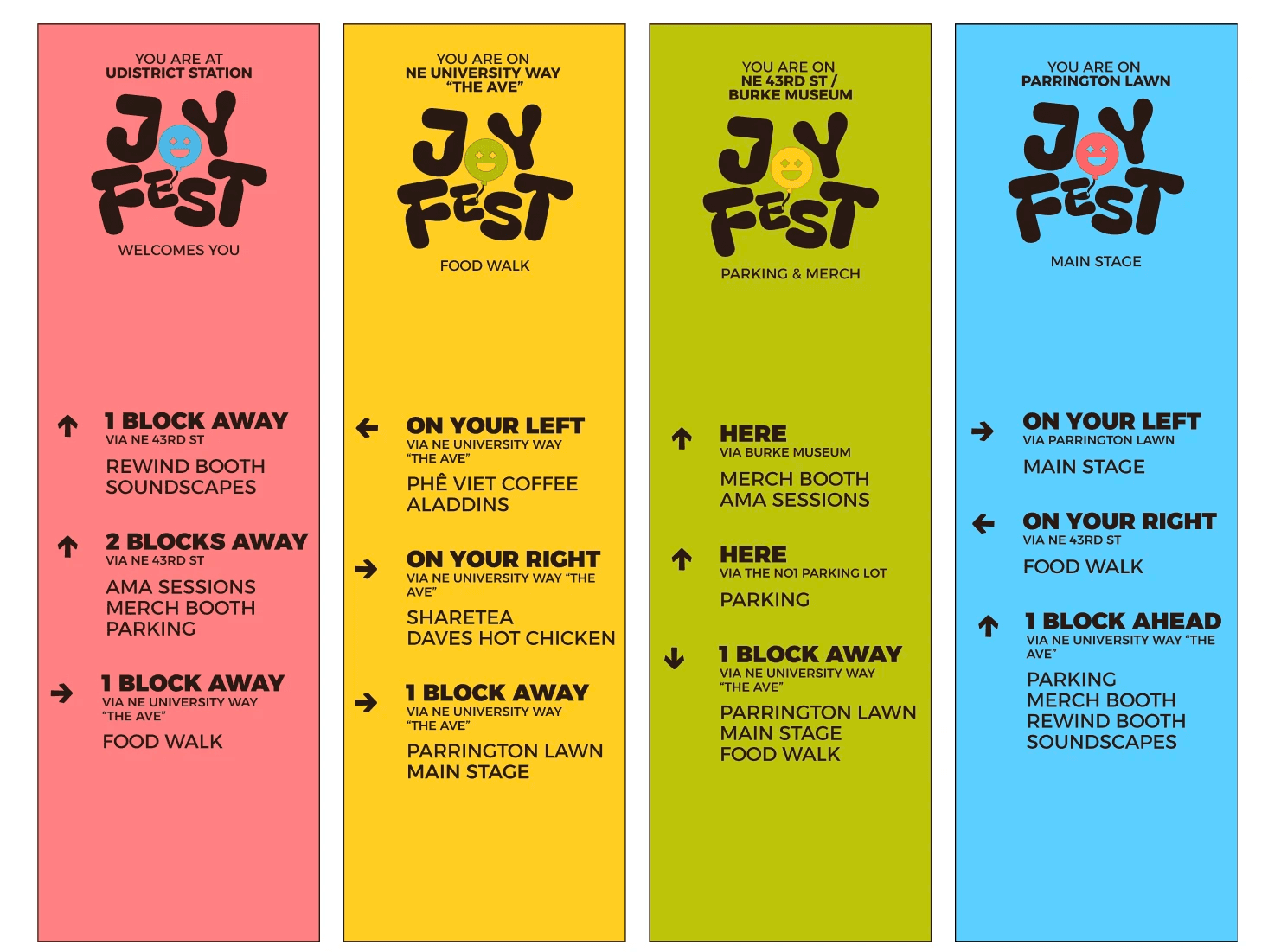
Arrow size too small. Information density made navigation feel confusing when moving through a crowd.
FINAL
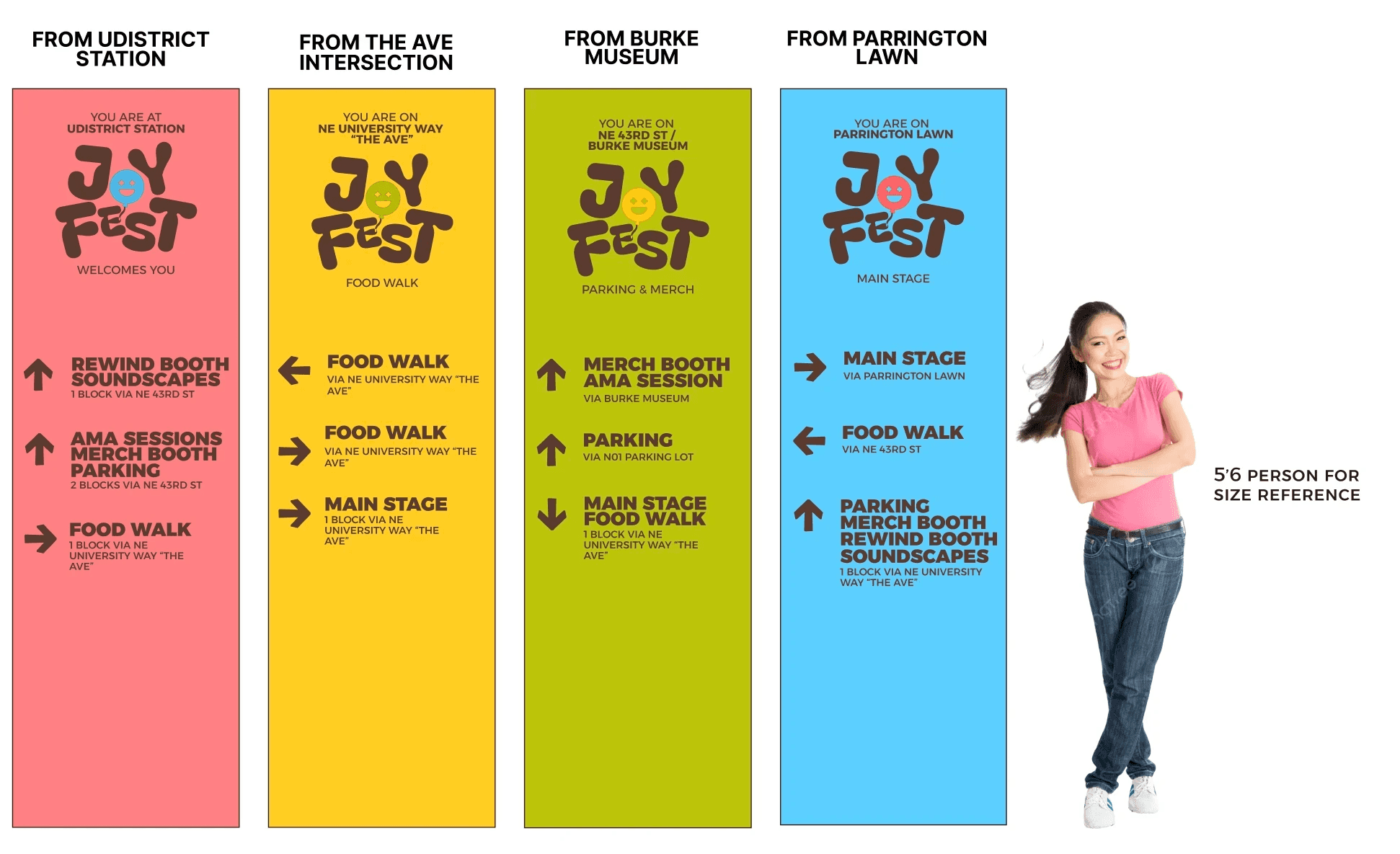
Increased arrow weight and size. Key locations bolded. Information simplified to what you need while moving, not while standing still.
04 — MOBILE APP
Designing for distraction.
The app is the co-creation layer. My target user Jennifer, 22, a planner-type festival-goer, attends to connect but leaves feeling like a spectator. She needs participation to feel effortless.
The core tension: a festival app needs to work in a loud environment, one-handed, while moving through a crowd. Most festival apps fail this test. They're built for the planning phase, not the moment.
UX DECISION I
Merch flow as proof of concept
I Scoped the MVP down to the merch purchasing flow as its the stage with the highest friction and needs committed attention. Getting this right proves the system works under high stress.
UX DECISION II
Progress Indicators > back buttons
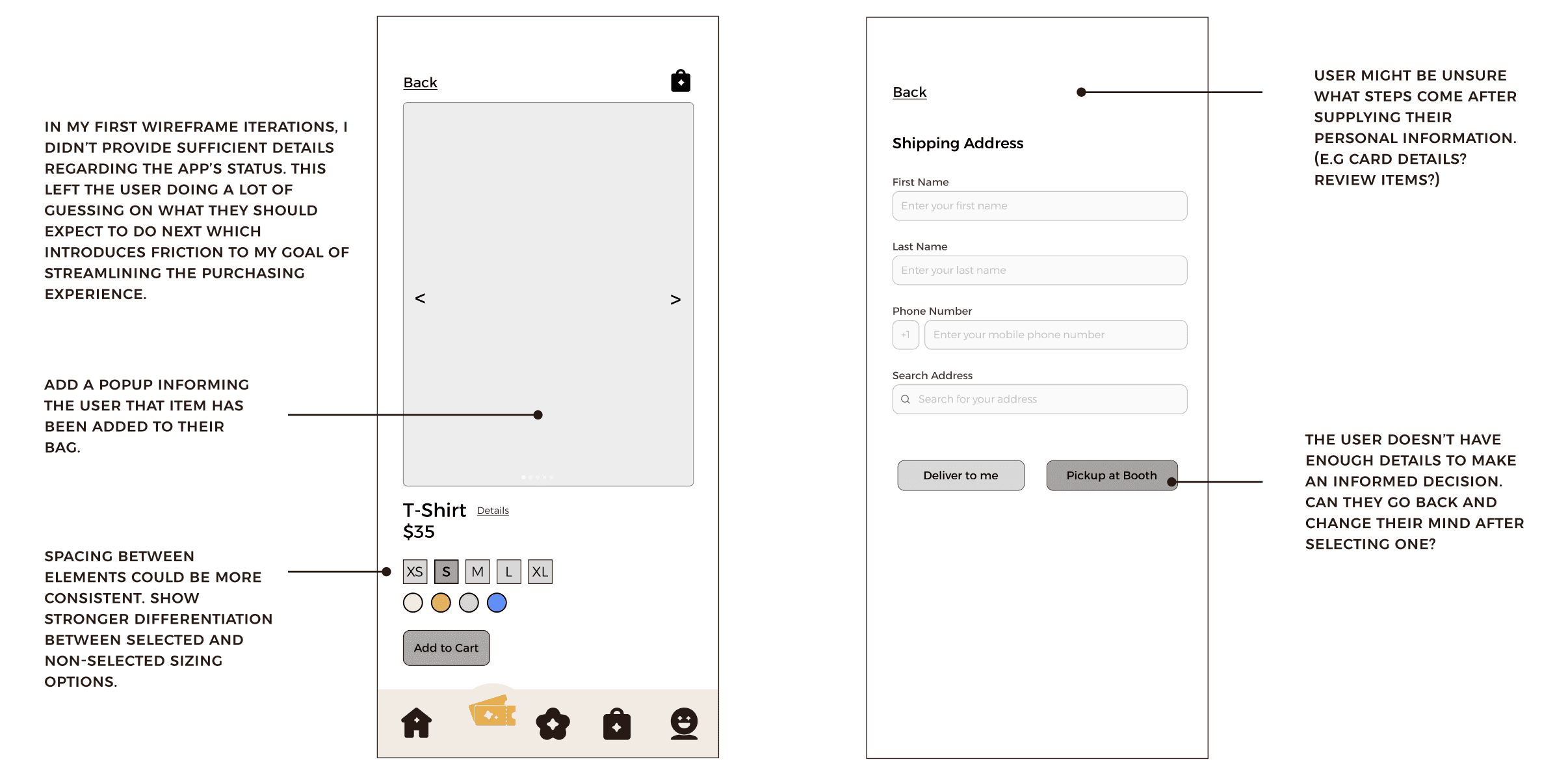
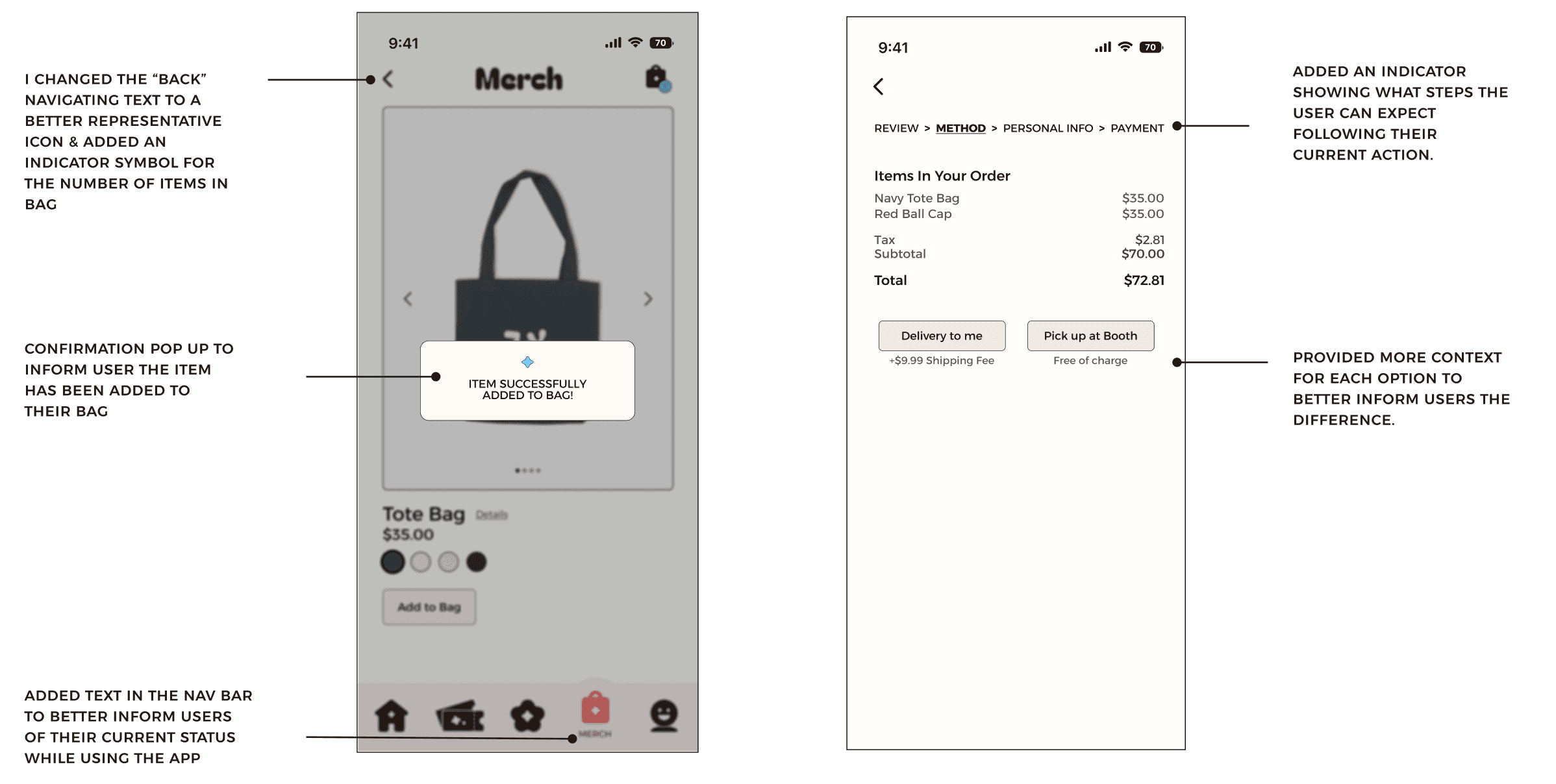
At first, the wireframes left users guessing what came after personal info. Adding "REVIEW → METHOD → PERSONAL INFO → PAYMENT" eliminated checkout anxiety and better guided users though their purchases.
map
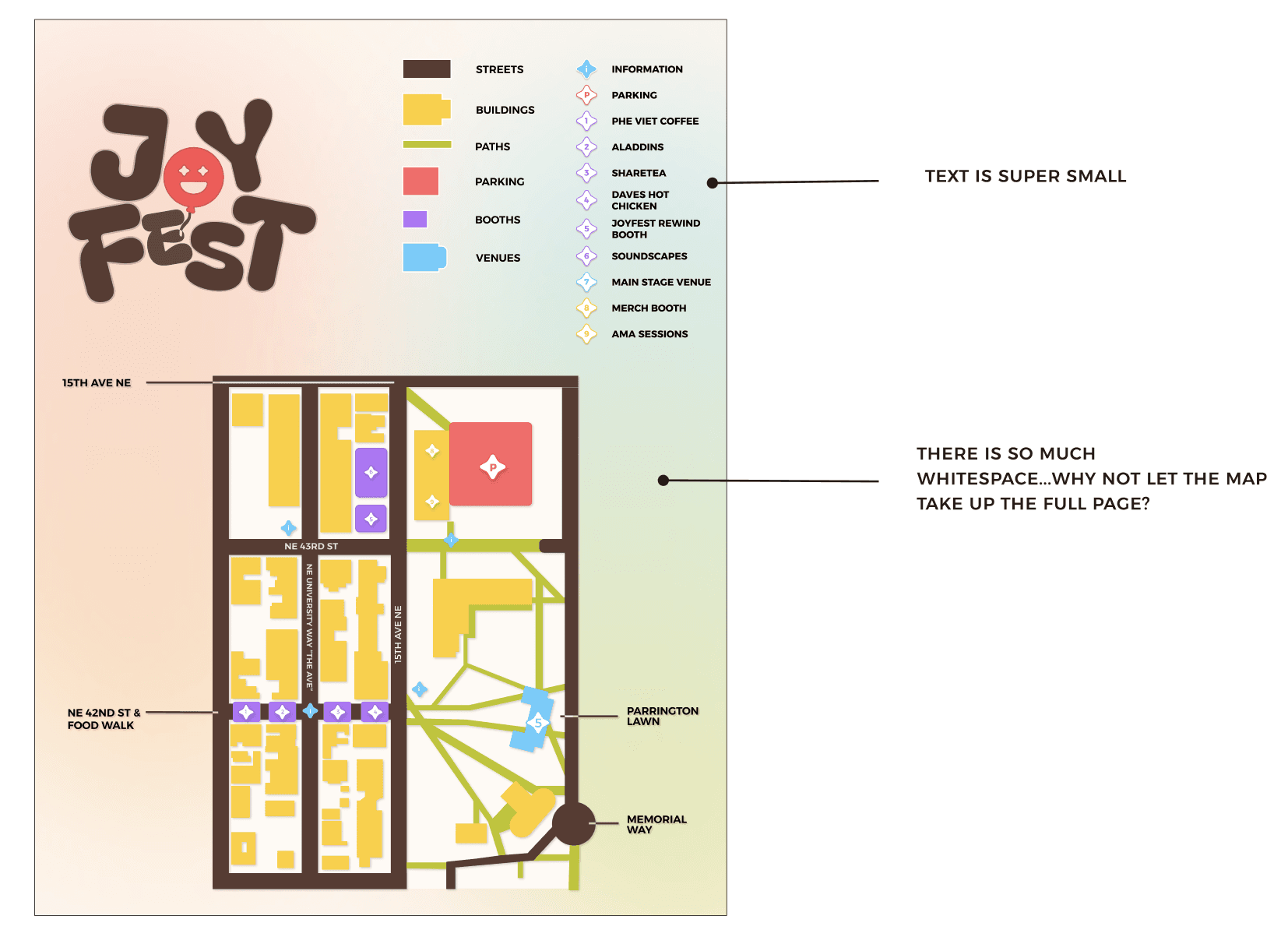
Critique feedback highlighted that the abundance of colors might overwhelm users, making it difficult to focus on specific elements.
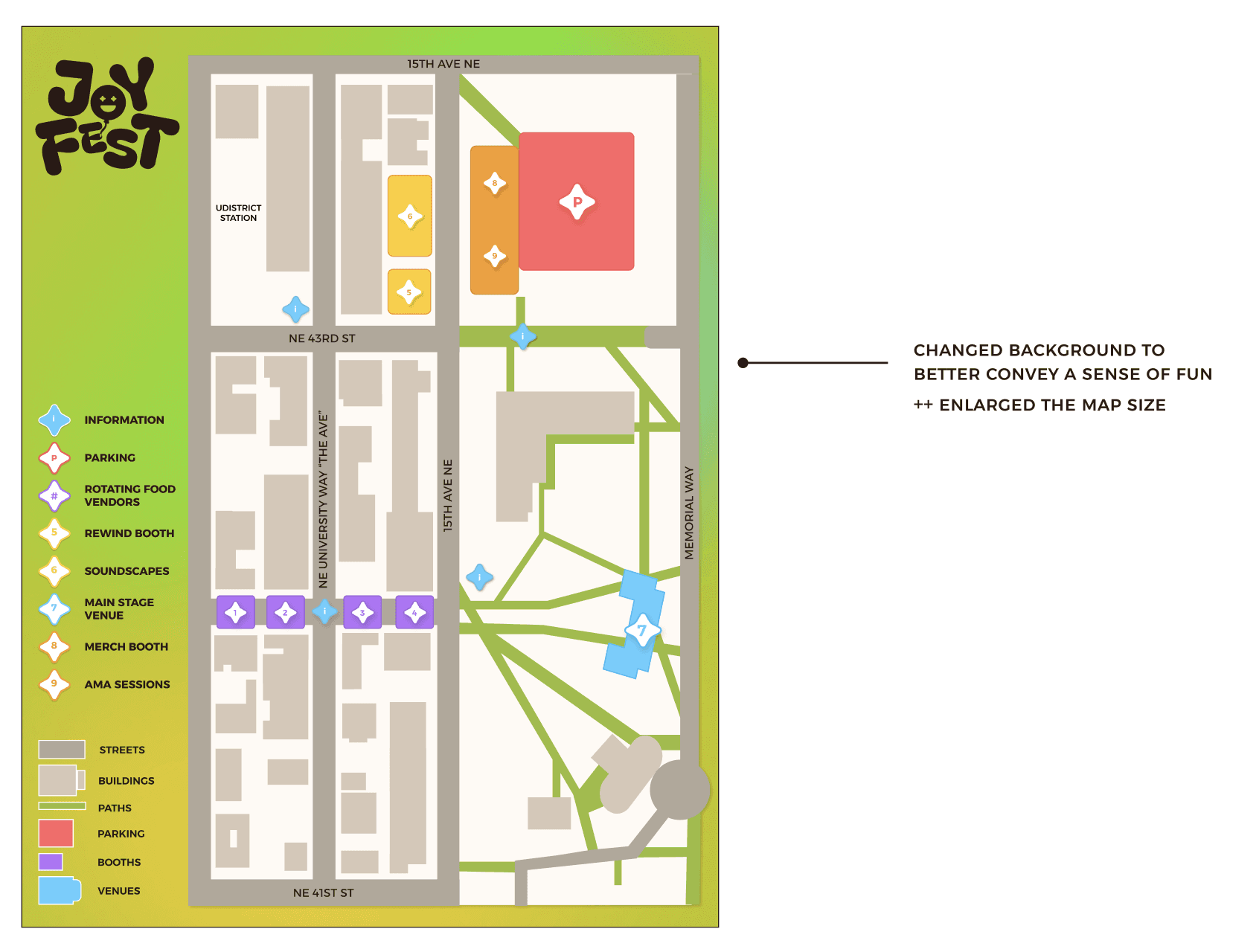
In response to the feedback, I scaled down the logo mark to draw less attention. Additionally, I enlarged the legend and adjusted the colors of secondary campus buildings, allowing important locations to improve overall visual clarity and limit visual overload.
V1 — EARLY STAGE WIREFRAMES
V2 — REFINED
FINAL HI-FI FRAMES

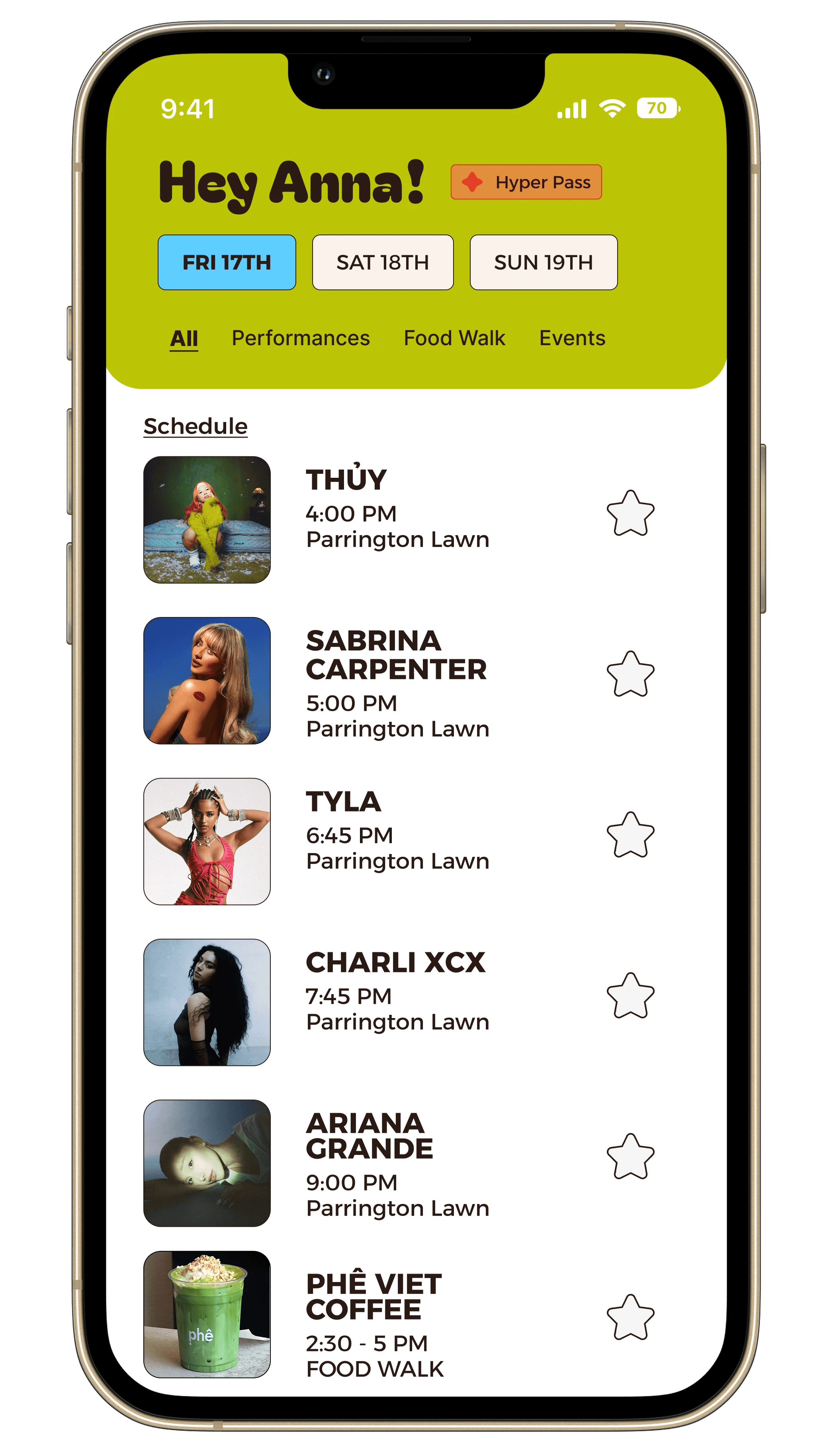
View all key events on the home page & bookmark your favorites to your calendar

Checkout merch within the app seamlessly.

Purchase day passes within the app with ease!

Connect your joy bloom and light the crowd up!
Checkout merch within the app seamlessly.
05 — REFLECTION
What I'd do differently.
JoyFest is the project where I learned that design constraints are productive. Every rejected iteration made the final system tighter. But with distance, I can see the gaps clearly.
WHAT WORKED
-> The wordmark color system!! It highlighted the strengths in embedding function into brand identity
-> Treating signage as a wayfinding problem, not a poster problem
-> Type pairing rationale. Choosing for legibility at scale, not aesthetics alone
-> Using critique feedback as design input, not approval/rejection of my work
WHAT I'D CHANGE
-> Talk to real festival-goers before the competitive analysis, not just create a hypothetical persona
-> The app needed more exploration of the co-creation feature itself. Purchasing merch and creating a flow just for purchasing was a proxy
-> Prototype the real-time audience interaction earlier, even if that means doing so roughly